You download the app, link your card, scan a receipt or two — and a week later you’ve earned $1.40. Is that actually worth the screen time, or is this just a clever way for retailers to get your data for free?
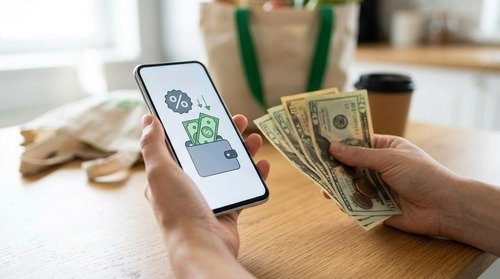
How Cashback Apps Actually Work
Cashback apps don’t hand you free money out of goodwill. Retailers pay these companies a commission for sending them customers, and the app shares a slice of that commission with you. In other words, your attention and your shopping data are the real product being sold.
That’s not necessarily a bad trade. However, it explains why the "up to 20% back" banner you see rarely applies to your actual cart.
The Real Math: How Much Can You Actually Earn?
Most cashback apps advertise eye-catching percentages tied to limited retailers or short-term promotions. Across normal, everyday spending, independent testing across 15 cashback apps found the realistic average return closer to 1–3%, not the 10–20% shown in the ads.
That still adds up in specific categories. For example:
- Gas: Upside users save an average of 25 cents per gallon, which works out to roughly $390 a year for someone filling up twice a week.
- Groceries: Active Ibotta users typically earn $20 to $100 per month depending on how consistently they use offers.
- Online shopping: Rakuten and similar browser-linked apps average 1.5% to 3% once category caps and exclusions are factored in.
Because the average U.S. household now spends around $677 a month on groceries, even a modest 3% return on that category alone is real money — just not "quit your job" money.
Popular Cashback Apps Compared
| App | Best For | Typical Return | Payout Method | Payout Threshold |
|---|---|---|---|---|
| Rakuten | Online shopping, travel | 1.5–3% (higher on promos) | PayPal, check | $5.01, paid quarterly |
| Ibotta | Groceries | $20–100/month for active users | PayPal, gift card | Low, per-offer |
| Fetch Rewards | Any store, receipt scanning | Points-based, no offers to activate | Gift cards | Low |
| Upside | Gas, restaurants | ~$180/year average, up to $500 for heavy drivers | PayPal, bank, instant gift card | None for gift cards |
| Capital One Shopping | Price comparison, coupons | 2–5% average | Gift cards only | Varies |
No single app wins across every category, so the realistic strategy is stacking two or three that match how you actually shop rather than chasing the one with the flashiest homepage.
The Hidden Cost: What You’re Really Paying With
Here’s the part most "best cashback apps" roundups skip over: the data. An FTC study on shopping and rewards apps found that a meaningful share of these apps reserve broad rights to collect, use, and share your personal information with limited restrictions, and disclosures are often too vague for consumers to make an informed choice.
Cashback apps typically know more about you than a simple loyalty card ever did — payment details, purchase history, browsing behavior, and sometimes location, even when you’re not actively shopping. Before linking a card or scanning a receipt, it’s worth treating the privacy policy the same way you’d treat a contract: skim it, but actually read the parts about data sharing. The Better Business Bureau also recommends checking whether the company is legitimate before signing up and never paying a fee to receive a payout — that’s a scam pattern, not a real cashback model.
So, Are They Worth It?
It depends on whether you’re already making the purchase anyway. If an app rewards you for gas, groceries, or online orders you’d buy regardless, that’s close to free money with a small data cost attached. If an app pushes you to buy things you weren’t planning to, any "savings" is really just spending with extra steps.
In my own experience, the money habit that’s actually served me is comparing options before I spend, not adding another app to check. When my budget has needed trimming, cashback offers have been a nice bonus on purchases I was already making, but the real savings came from comparing prices and cutting the things I didn’t need in the first place. Treat cashback as a small bonus on top of good spending decisions, not a replacement for them.
A simple filter before you install anything new: pick one or two apps that match your actual habits (groceries, gas, or online shopping), give them 60 days, and drop anything that isn’t paying out or is asking for more data than it’s worth.
Frequently Asked Questions
Is it safe to link my debit card to a cashback app?
Reputable apps use encrypted, read-only connections similar to those used by budgeting apps. Still, stick to well-known apps with a public track record, and avoid any app that asks you to pay a fee upfront to "unlock" cashback.
Do cashback apps affect my credit score?
No. Cashback apps that link to a debit or credit card only read transaction data to track purchases — they don’t run credit checks or report to credit bureaus.
Can I use more than one cashback app at the same time?
Yes, in most cases. Using Ibotta and Fetch Rewards on the same receipt, for example, doesn’t violate either app’s terms since they operate on separate systems.
Is cashback considered taxable income?
Generally no. Cashback earned on your own purchases is typically treated as a rebate rather than income, though rewards received without any purchase requirement (like some sign-up bonuses) can be treated differently. Check with a tax professional if you’re unsure.
Cashback apps aren’t a trick, but they’re not a strategy either — they work best as a quiet bonus layered on top of spending decisions you were already making carefully. If you’re still figuring out where those decisions should start, building an actual budget is a better first step than any app.