You’ve decided you’re finally going to get serious about budgeting. Then you open the app store, see forty options that all claim to be "the best," and close it again without picking one. That decision fatigue is the real reason most budgeting attempts die in week one — not lack of discipline.
This guide skips the hype and compares the apps that actually matter in 2026, so you can pick one in the next five minutes and get back to your money.
What Actually Makes a Budgeting App Worth Using
Before comparing specific apps, it helps to know what to judge them on. Every budgeting app claims to be simple and powerful at the same time, so the differences show up in the details:
- Bank syncing — does it pull transactions automatically, or do you type them in by hand?
- Budgeting method — zero-based (every dollar assigned a job), envelope-style, or a looser "track and see" approach?
- Cost structure — genuinely free forever, free with limits, or paid from day one?
- Shared access — can a partner or spouse see and edit the same budget?
- What happens after the trial — some "free" apps are really free trials in disguise.
Keep these five in mind as you read, because the "best" app is really just the one that matches how you actually want to manage money.
The Best Free Budgeting Apps
Free budgeting apps got a lot more attention after Mint shut down in March 2024, which sent a wave of former users looking for a no-cost replacement, according to The Penny Hoarder. Worth noting: "free" here means a permanent free tier, not a time-limited trial dressed up as free — a distinction that matters once you’re months into a budget and hit a paywall. Here are the ones worth your time.
Rocket Money
Rocket Money is frequently named the strongest free option overall because its free tier isn’t a stripped-down demo. Per The Penny Hoarder’s testing, the free version covers basic budgeting tools, subscription tracking, limited spending categorization, and net income tracking at no cost. For most people, subscription tracking alone is worth the download — it’s remarkable how many forgotten recurring charges show up once something is actually watching for them.
Where Rocket Money makes money is upselling bill negotiation and premium budgeting features, but you’re never forced to pay to get value out of the app.
Goodbudget
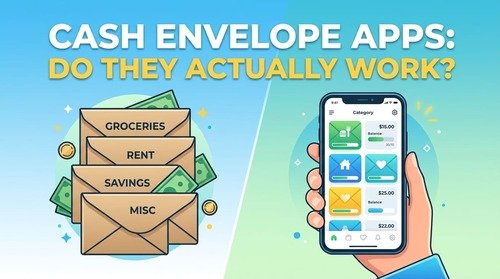
Goodbudget is a digital take on the classic cash-envelope method: you allocate income into virtual "envelopes" before you spend, and once an envelope is empty, that category is done for the month. The free plan gives you roughly 20 total envelope slots split between regular and annual/goal categories, one linked account, and two devices, which is enough for a single budgeter but can feel tight for a household juggling several spending categories.
Upgrading to Goodbudget’s paid tier runs about $80 a year and removes the envelope cap while adding automatic bank syncing for U.S. accounts.
EveryDollar
EveryDollar, built by Dave Ramsey’s company, follows a strict zero-based budgeting approach. As NerdWallet notes, the free version doesn’t sync with your bank, so you’ll be entering income and expenses by hand and sorting each line into a category yourself. If you’re already following Ramsey’s debt-payoff framework, the workflow will feel familiar; if not, expect a learning curve around the terminology.
The Best Paid Budgeting Apps (And What You Actually Get for the Money)
Paid apps earn their subscription fee by automating the parts free apps make you do manually — mainly bank syncing, forecasting, and shared household access.
YNAB (You Need A Budget)
YNAB runs on strict zero-based budgeting: every dollar you earn gets assigned a specific job the moment it arrives. According to pricing verified directly from ynab.com, YNAB runs $14.99 a month or $109 a year (about $9.08/month billed annually), with a 34-day free trial and no permanent free tier. One subscription covers up to six people, so a couple or family splitting the cost effectively pays less than half the sticker price each.
The tradeoff is effort — YNAB rewards people willing to check in weekly and actively adjust categories. If you want something closer to "set it and glance at it occasionally," it may feel like more system than you need.
Monarch Money
Monarch became one of the most popular Mint replacements largely because of its net worth tracking and shared "Household" view for couples. According to The Penny Hoarder’s review, Monarch Core costs $99.99 a year (about $8.33/month) and includes unlimited account syncing, an AI assistant, and shared household access, while a newer Monarch Plus tier adds advanced forecasting for $199 a year. There’s no permanent free plan, only a short trial before billing starts.
Monarch leans more toward passive tracking and overview than YNAB’s hands-on category management, which makes it a better fit if you want visibility more than strict control.
Free vs. Paid Budgeting Apps: Quick Comparison
| App | Cost | Best For | Bank Sync | Method |
|---|---|---|---|---|
| Rocket Money | Free (paid upsells) | Subscription tracking, casual budgeting | Yes | Spending tracker |
| Goodbudget | Free (limited) / ~$80/yr | Couples who like the envelope method | No (Premium only, U.S.) | Envelope |
| EveryDollar | Free (manual) / $79.99/yr | Dave Ramsey / debt-payoff followers | Premium only | Zero-based |
| YNAB | $14.99/mo or $109/yr | Hands-on, disciplined budgeters | Yes | Zero-based |
| Monarch Money | $99.99–$199/yr | Couples wanting net worth + budget in one place | Yes | Tracking + budgeting |
How to Actually Choose Between Them
The honest answer is that the "best" app depends on how much manual effort you’re willing to trade for cost, and how much structure you actually want. In my own experience, the money habit that’s served me best isn’t finding the single "perfect" tool — it’s constantly comparing my options and being willing to switch when my situation changes, rather than sticking with whatever I downloaded first out of habit. That same comparison mindset is exactly what picking a budgeting app rewards: test the free tier of two or three apps before paying for anything.
A few situational rules of thumb:
- If you want zero cost and don’t mind typing in transactions: start with Goodbudget or EveryDollar’s free tier.
- If you want automation without paying anything: Rocket Money’s free tier covers the basics.
- If you’re serious about changing spending habits, not just tracking them: YNAB’s structure has the strongest track record.
- If you’re managing money as a couple and want net worth visibility too: Monarch is built for that specifically.
Frequently Asked Questions
Is there a completely free budgeting app with bank syncing? Rocket Money is the closest match — its free tier includes automatic bank syncing and categorization. Most other free tiers (Goodbudget, EveryDollar) require manual entry unless you upgrade to a paid plan.
What happened to Mint, and what should former users switch to? Mint shut down in March 2024. Monarch Money is the most commonly recommended replacement for people who liked Mint’s all-in-one tracking, while YNAB suits people who want a more structured, zero-based approach.
Is YNAB worth $109 a year? It depends on whether you’ll actually use the system weekly. YNAB’s method is built around active engagement, so it tends to pay off for people who follow through and feel like an unused expense for people who want something more passive.
Can I split the cost of a budgeting app with my partner? Yes — YNAB’s subscription covers up to six people at no extra cost, and Monarch’s Household plan is built specifically for shared budgeting between partners.
If you’re still deciding how much of your income should even go toward flexible spending versus savings, it’s worth working through a simple percentage-based budget first, before you start comparing which app fits your numbers.