You open your bank app to check your balance, and there it is: a $14.99 charge for an app you forgot you ever downloaded. It’s not one big expense that’s draining your account. It’s ten small ones, quietly renewing every month while you’re not looking.
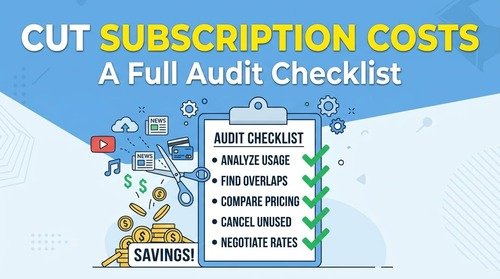
That’s exactly why a subscription audit matters. Not because any single subscription is a disaster, but because a handful of forgotten ones, stacked together, can quietly eat $50 or $100 a month without you noticing. This checklist walks you through finding them, deciding what’s actually worth keeping, and cutting the rest — without giving up the services you genuinely use and enjoy.
Why Subscription Creep Happens So Easily
Subscription creep isn’t a discipline problem. It’s a design problem. Free trials convert automatically. Annual plans renew once a year, which makes them easy to forget. And small charges, individually, don’t feel worth the mental effort of canceling.
As a result, most people underestimate what they’re actually spending. CNET’s 2026 subscription survey put average American subscription spending at roughly $111 a month, up 23% from the year before, with an estimated $252 a year going toward subscriptions people don’t even use.
Other research tells a more modest story. A 2026 survey from Self Financial found average paid subscription spending closer to $35 a month, with nearly 60% of respondents saying at least one of their subscriptions went unused each month. The exact number varies depending on who’s counting and what counts as a "subscription" in the first place. But the pattern is consistent across every study: almost everyone has at least one subscription they’re paying for and not using.
That’s the gap this audit is designed to close.
Step 1: Pull Every Recurring Charge From the Last 3 Months
Before you can cancel anything, you need the full picture. Log into your bank account and credit card statements, and go back three months. One month isn’t enough, because annual and quarterly subscriptions won’t show up in a single billing cycle.
While you’re doing this, search your statements for these categories specifically:
- Streaming (video, music, audiobooks)
- Software and apps (productivity, editing, storage, VPNs)
- Fitness and wellness (gym, classes, meditation apps)
- Food and delivery memberships
- News, magazines, and newsletters
- "Free trial" charges that quietly converted to paid
Most people find at least two or three subscriptions they’d completely forgotten about. That’s normal. It’s the whole point of doing this exercise.
Step 2: Build Your Subscription Audit Table
Once you have your list, put it into a simple table. This is where the audit actually happens — you’re not just listing subscriptions, you’re making a decision about each one.
| Subscription | Monthly Cost | Last Used | Keep / Downgrade / Cancel |
|---|---|---|---|
| Streaming service A | $15.99 | This week | Keep |
| Streaming service B | $9.99 | Can’t remember | Cancel |
| Cloud storage plan | $9.99 | Rarely, could downgrade tier | Downgrade |
| Fitness app | $12.99 | Last month | Keep |
Fill this in honestly. The "Last Used" column is the most important one — if you genuinely can’t remember the last time you opened an app or watched something on a service, that’s your answer.
Step 3: Ask Three Questions for Every Subscription
For anything you’re on the fence about, run it through these three questions:
- Have I used this in the last 30 days? If not, cancel it now. You can always resubscribe later if you actually miss it.
- Is there a cheaper tier that covers what I actually use? Many services quietly upsell you into a higher tier than you need. Check if a basic or ad-supported plan would do the job.
- Am I paying for two things that do the same job? Two streaming services, two cloud storage plans, or two note-taking apps often creep in over time. Pick one and drop the other.
Step 4: Cancel the Right Way
Some services make canceling deliberately difficult, hiding the option several menus deep or requiring a phone call. Don’t let that friction talk you out of it. A few tips:
- Cancel through the app store (App Store or Google Play) if you subscribed there — it’s often faster than the company’s own site.
- If a company requires a phone call, keep it simple: "I’d like to cancel my subscription." You don’t need to justify it or negotiate unless you want a discount to stay.
- Set a calendar reminder for free trials the moment you sign up, so you’re not relying on memory to cancel before the charge hits.
In my own experience, the real skill isn’t just cutting subscriptions across the board — it’s figuring out where you can trim without giving up something that actually adds value. I’ve always paid close attention to where my money goes, and when things get tight, I don’t just cancel the cheapest-looking option. I compare what each subscription actually gives me and cut the ones that cost the most for the least real use, so the savings don’t come at the expense of quality.
Step 5: Redirect the Savings Immediately
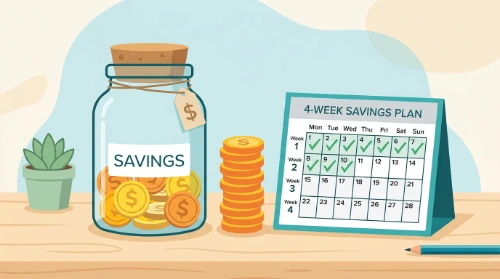
This step gets skipped more than any other. If the money you free up just sits in your checking account, it tends to get absorbed into everyday spending within a few weeks. Instead, set up an automatic transfer the same day you cancel a subscription — even $10 or $15 a month — into a savings account or toward a specific goal. That way, the audit produces a real result instead of just a smaller number on a statement you’ll forget to check again.
How Often Should You Repeat This?
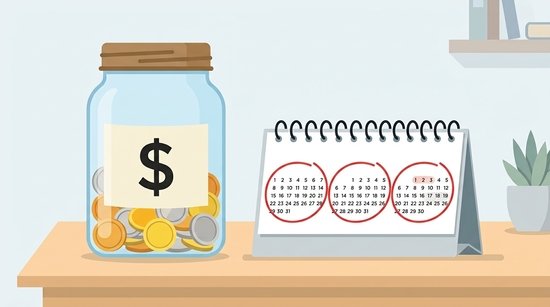
A subscription audit isn’t a one-time fix. New trials creep in, prices quietly increase, and your needs change. Doing a full review once every three months keeps things from piling back up, while a quick 5-minute statement check once a month helps you catch anything unusual before it becomes a habit.
FAQ
How do I find subscriptions I forgot I had? Check three months of bank and credit card statements, not just one, since annual and quarterly charges won’t appear in a single cycle. Many banking apps also have a built-in "recurring charges" or "subscriptions" view that can speed this up.
Is it worth paying for a subscription tracking app? Only if you know you won’t do a manual audit regularly. A tracking app can flag new charges automatically, but a simple spreadsheet or the table above works just as well if you’re willing to update it every few months.
Should I cancel a subscription or just downgrade it? If you use a service regularly but not enough to justify the top tier, downgrading usually makes more sense than canceling outright, since you keep access without paying for features you don’t need.
What’s a reasonable amount to spend on subscriptions each month? There’s no universal number, since it depends on your income and priorities. The more useful test is whether you can name what each subscription gives you and confirm you used it recently — if you can’t, it’s a candidate to cut, regardless of the dollar amount.
Once your subscriptions are trimmed down to what you actually use, the next natural step is putting those freed-up dollars somewhere with a purpose.