You open your bank app to check your balance, and there it is: a $14.99 charge for an app you forgot you downloaded two years ago. Multiply that by every streaming service, meal kit trial, and cloud storage plan you’ve ever signed up for, and it’s easy to see how subscriptions quietly drain a budget without a single conscious purchase decision.
The fix isn’t more willpower. It’s a tool that does the watching for you.
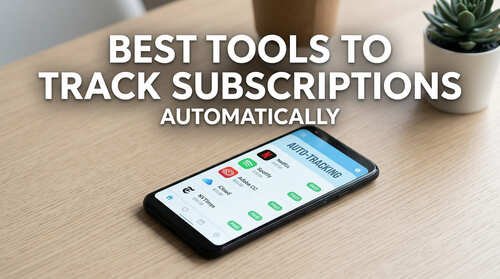
Why Subscription Creep Sneaks Up on Almost Everyone
Subscription creep isn’t a personal failing — it’s how the business model is designed to work. Once a card is on file, a service only needs you to forget about it, not to actively want it.
The numbers back this up. People estimate they spend about $86 a month on subscriptions, while their actual average spending is $219. That’s a gap of $133 every month, or nearly $1,600 a year, simply because most of us don’t have a clear, ongoing view of what’s being charged and when.
A good tracking tool closes that gap. It doesn’t require you to remember anything — it just shows you the truth.
What to Look For in a Subscription Tracker
Not every tool works the same way, and the right pick depends on what you’re comfortable trading off.
Bank-Linked Detection vs. Manual Entry
Some apps connect directly to your bank or card accounts and automatically flag recurring charges. This is the fastest way to see everything you’re paying for, including subscriptions you forgot existed. However, it also means giving a third-party app access to your full transaction history.
Other tools skip bank access entirely and rely on you entering each subscription by hand, or importing a list from a spreadsheet. This takes a bit more setup time, but nothing leaves your control.
Renewal Reminders and Price-Hike Alerts
A tracker that just shows a static list isn’t much better than checking your bank statement yourself. Look for one that sends a reminder a few days before a free trial converts to a paid plan, or before an annual renewal hits your card.
Privacy and Data Handling
Because this category deals directly with your spending, it’s worth asking where your data lives, whether it’s sold to advertisers, and whether you can export or delete it whenever you want.
The Best Subscription Tracking Tools Compared
Here’s how the most established options stack up as of 2026.
| Tool | Platform | How It Finds Subscriptions | Price | Best For |
|---|---|---|---|---|
| Rocket Money | iOS, Android, web | Bank-linked (automatic) | Free tier; Premium roughly $6–$12/month, pay-what-you-choose | Hands-off automatic detection |
| PocketGuard | iOS, Android, web | Bank-linked (automatic) | Free tier; Plus around $34.99/year | A lower-cost bank-linked alternative |
| Copilot Money | iOS, Mac only | Bank-linked, AI-categorized | Around $10.99/month or $69.99/year | Apple users who want a full spending dashboard |
| Bobby | iOS only | Manual entry | Free, with a small one-time in-app purchase | Privacy-first users who don’t mind typing subscriptions in themselves |
| YNAB (You Need a Budget) | iOS, Android, web | Manual or bank-linked, inside full budgeting | Around $14.99/month or $109/year | People who want subscriptions managed inside a complete zero-based budget |
| A simple spreadsheet | Any device | Fully manual | Free | Anyone who wants zero third-party access and doesn’t mind the upkeep |
If your main goal is finding charges you’ve completely lost track of, a bank-linked option like Rocket Money or PocketGuard does that work automatically. If privacy matters more to you than convenience, Bobby or a spreadsheet keeps everything under your own control, at the cost of some manual upkeep.
For couples or households already using a full budgeting system, YNAB folds subscription tracking into the bigger picture instead of treating it as a separate task.
How to Actually Start Tracking Automatically
Picking a tool is only step one. Here’s how to put it to work.
- Choose based on your comfort level with bank access, not just feature count. A tool packed with features you never open isn’t actually saving you money.
- Do a full first-pass review. Most bank-linked tools will surface every recurring charge from the last 90 days in one screen — go through the entire list before deciding what stays.
- Turn on renewal and price-hike alerts for every subscription, especially free trials. This is the single feature that prevents most surprise charges.
- Cancel anything you can’t remember using in the last month. If you have to think hard about the last time you opened it, that’s your answer.
- Set a recurring 10-minute check-in, monthly or quarterly, even with an automatic tool. Automation catches new charges; it doesn’t replace an occasional gut check on whether you still want what you’re paying for.
In my own experience, the hardest part was never finding a tool — it was resisting the urge to add five tracking and budgeting apps at once instead of sticking with one and actually using it well. I’ve learned that comparing a few solid options up front and committing to the one that fits, rather than chasing every new app that promises to save more, is what actually keeps spending under control without feeling like a constant chore.
Frequently Asked Questions
Do subscription trackers work if I don’t want to link my bank account? Yes. Tools like Bobby, or a basic spreadsheet, track subscriptions through manual entry only. You’ll need to add each one yourself and update it when something changes, but no financial account access is required.
Are subscription tracker apps safe to use? Reputable bank-linked apps use encrypted, read-only connections through licensed data aggregators, and they cannot move money out of your account. That said, it’s reasonable to only connect financial accounts to tools with a clear, published privacy policy.
Can a free app track unlimited subscriptions? It depends on the tool. Some, like Rocket Money, offer unlimited tracking on the free tier with paid add-ons for extras like bill negotiation. Others cap the free tier at a small number of subscriptions and charge for more.
How often should I review my subscriptions, even with an automatic tracker? A quick monthly or quarterly check is enough for most people. Automation catches the charges; you still need to decide whether each one is worth keeping.
Once your subscriptions are visible in one place, the next natural step is looking at where else small, recurring costs might be hiding in your monthly budget.